Desktop app
How the app is packaged, what first run does, and how it behaves when updated. The code is in desktop/.
What is in the installer
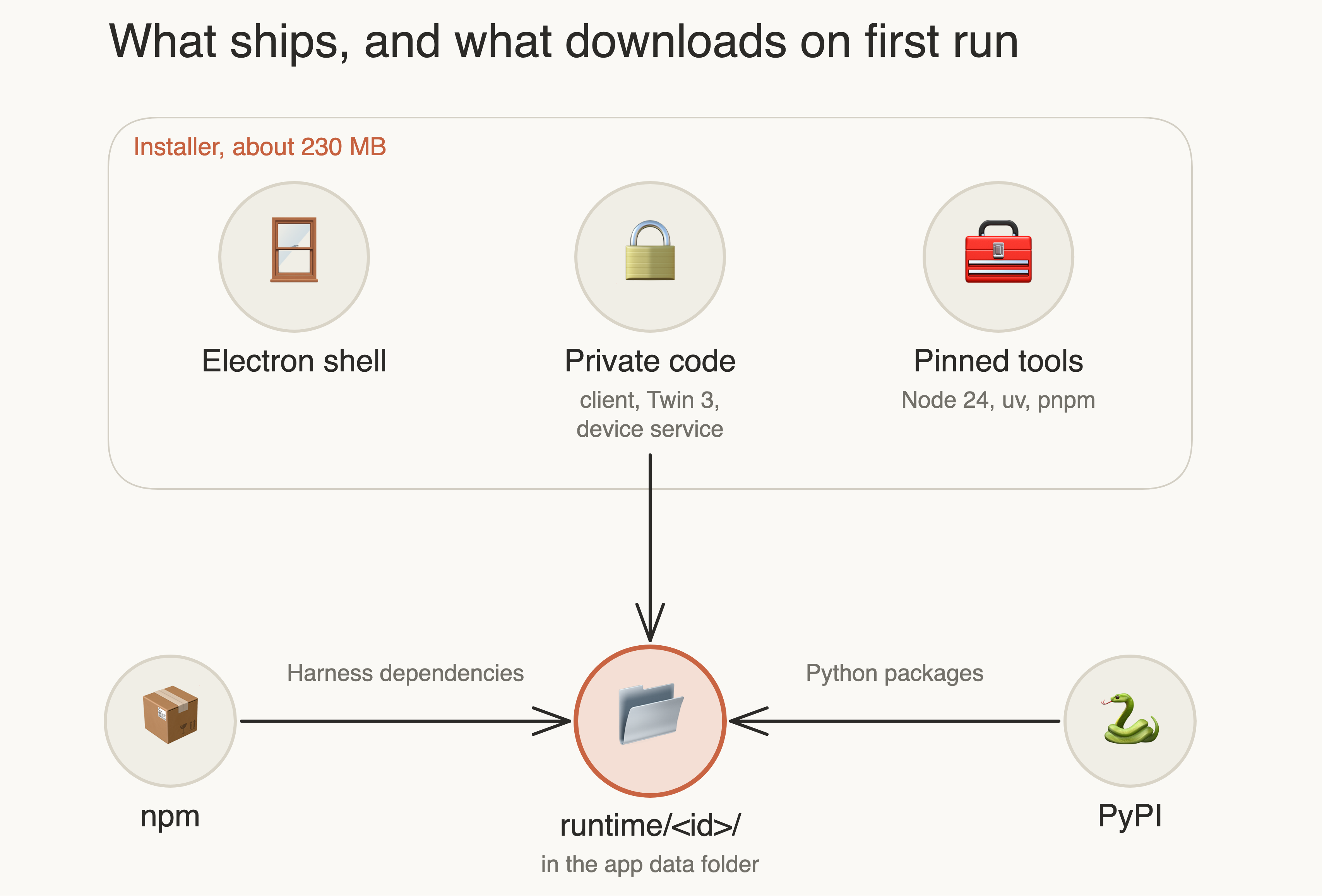
Private code ships in the installer, so users need no access to private repositories. Public dependencies download on
first launch, pinned by client/package-lock.json and desktop/runtime/requirements.lock with hashes.
| Choice | Reason |
|---|---|
| Bundled official Node 24, not Electron's Node | The Harness loader accepts only specific Electron builds, so sharing would tie Electron updates to it |
npm ci --ignore-scripts |
Third-party install scripts do not run on user machines; the one needed effect, a node-pty permission, is applied directly |
Install into the final folder, ready.json last |
Python environments cannot be moved. A folder without the marker is wiped on the next try |
Runtime <id> hashes all content |
A code-only change must also replace the runtime |
First run
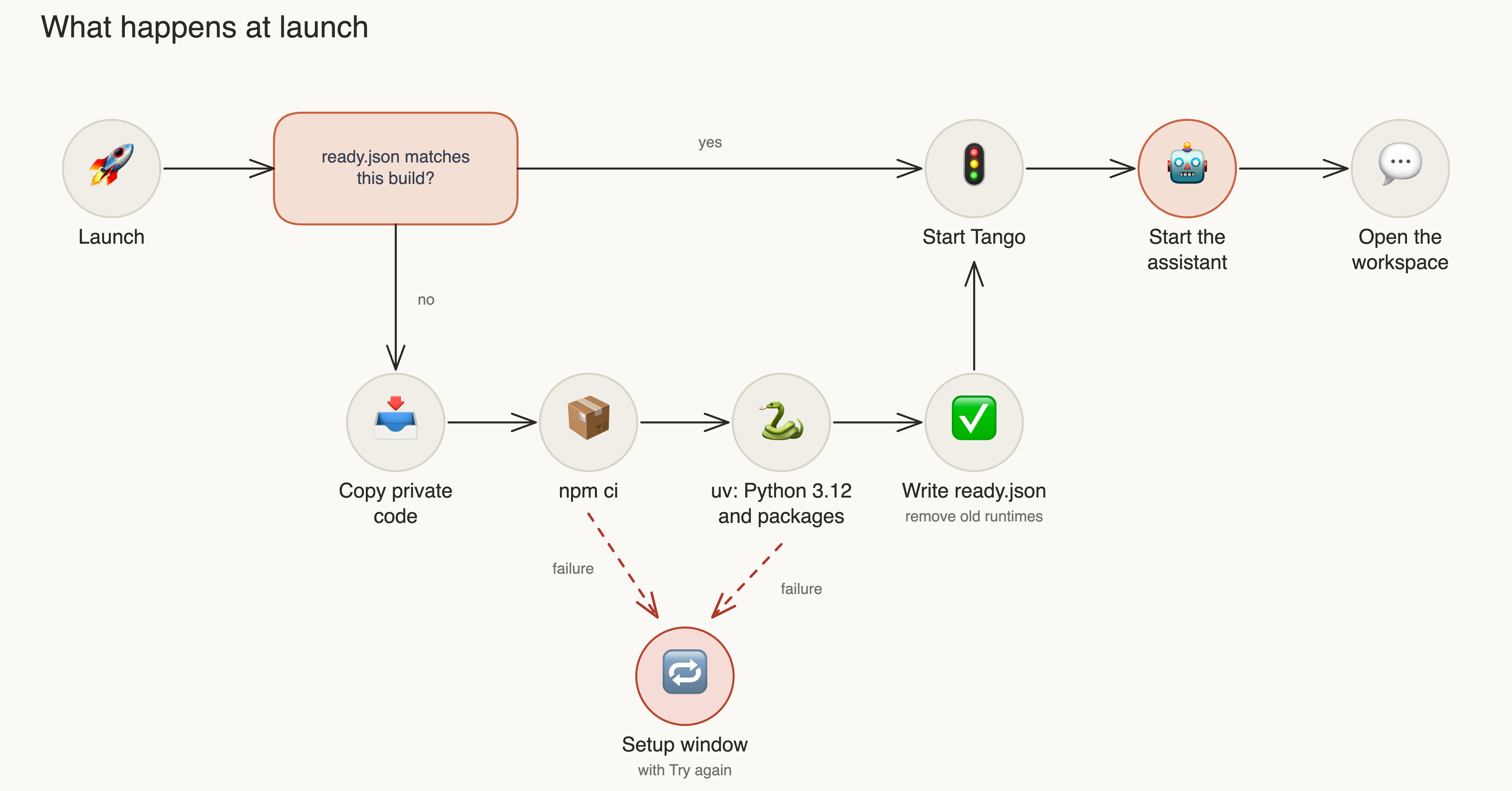
The installer is desktop/runtime-install.mjs, and the setup window is
desktop/setup.mjs.
Updates
Any content change gives a new runtime, so opening a new version repeats the download. On that launch the app also:
- points the profile at the new runtime, which the client otherwise refuses
- reinstalls your plugins, and lists any that failed on the Plugins page
- keeps sessions, settings, devices and credentials
Windows
| Window | Role |
|---|---|
| Workspace | Conversation, opened at launch |
| Control panel | Microscopes, Digital twin, Plugins, Skills, Settings; Cmd+, or the menu bar icon |
| Digital twin | Hidden engine, shown on request |
The app keeps running in the menu bar after its windows close. Use Quit Completely to stop everything.
Design system
Colours and fonts are defined once, in client/packages/webui/static/tokens.css, and desktop/renderer/tokens.css is
an identical copy, which a test enforces. Components use tokens only, so dark mode follows the system.
Interface text is English by default. The control panel uses desktop/locale.mjs. The workspace translates by exact
source text in client/packages/webui/static/i18n.js, and never translates user content, model output or logs.
Build
cd desktop && npm ci && npm run package:mac -- --arm64
prepackage assembles desktop/payload from tracked and unignored files, checks for private files, and verifies each
tool download by SHA-256. See Development.
Not yet done
- Signing: macOS builds are ad-hoc signed and not notarized, so Gatekeeper may block them on other computers.
- Windows and Linux: targets are configured but not built or tested.
- AutoScript wheels are bundled. Confirm the licence before distributing outside the group.
- Auto-update is not implemented.